In this Article
Not sure if your cart's speed controller is failing? Here are the seven bad golf cart controller symptoms I see most, plus a simple multimeter test and what a fix costs.
Bad golf cart controller symptoms are easy to confuse with a dozen cheaper problems, and that is exactly why so many owners buy a controller they did not need. A cart that stumbles, crawls, or sits dead with a full battery pack feels like an expensive failure, but it often is not.
I am Andrew James, and after seven years around golf carts and the people who drive them, I have a firm rule: the controller is the last suspect, not the first. This guide covers the seven signs that really point at it, how to rule out the cheap stuff, a simple multimeter test, and what a repair costs.
Table of Contents
Table of Contents

What a Golf Cart Controller Does
The controller sits between your batteries and the drive motor. When you press the pedal, the pedal sensor tells the controller how much power you want, and the controller meters that power out to the motor.
That metering is why a healthy cart pulls away smoothly instead of lurching. It is also why a failing controller shows up as odd behavior in the throttle: surges, stalls, and sudden slowdowns.
Most carts use a controller from a few makers. Curtis builds many of the factory units on E-Z-GO, Club Car, and Yamaha carts, and Alltrax is a popular aftermarket brand. The symptoms below apply to all of them, though the exact fault-code behavior varies by model.
7 Bad Golf Cart Controller Symptoms
No single sign proves the controller is dead. A pattern does, especially when the batteries, cables, and pedal sensor all check out. Here is what I look for.
1. Jerky or Stuttering Acceleration
A failing controller can deliver power in pulses instead of a steady flow. You feel a hesitation, then a surge, then another hesitation.
The catch is that weak batteries and corroded cables cause the same feeling. Our guide to a golf cart that jerks when accelerating walks through that full list in order.
2. No Response From the Pedal
You turn the key, press the pedal, and nothing happens, even though the pack is charged. If you hear the solenoid click but the cart will not move, the problem may sit in the solenoid or wiring rather than the controller.
Silence with no click at all points more toward the pedal switch, the key switch, or a controller that never receives the go signal. I cover the click test in our article on a golf cart that clicks but won’t move.
3. Sudden Surges at Partial Throttle
Press the pedal a little and the cart leaps forward as if you stomped it. This is one of the more worrying bad golf cart controller symptoms because it is a safety issue, not just an annoyance.
A worn pedal sensor can also cause it, so check that first. If the sensor is fine and the surge repeats, stop driving the cart until it is diagnosed.
4. Slowing Down Without Warning or Crawling at 5 to 8 MPH
Many controllers have a protective limp mode. When the controller detects a fault, it cuts speed to a crawl so you can get the cart home. If your cart suddenly will not pass walking speed, read our breakdown of a golf cart that only goes 5 mph before you spend any money.
Limp mode is a symptom, not a diagnosis. It can come from a speed sensor, a bad switch, or low voltage, as well as the controller itself.
5. Stalling or Cutting Out With Your Foot on the Pedal
The cart runs, then quits mid-hill or mid-fairway, and may restart after a short rest. Heat is often the trigger. A controller with a weak internal component can overheat under load, shut down, and recover once it cools.
Note whether it happens after a long climb or at the end of a hot round. That timing is a useful clue to hand a technician.
6. A Burning Smell or Hot Electronics
A hot-plastic or burnt-electronics smell near the controller deserves immediate attention. Stop, switch the cart to TOW, and look for discolored wiring, melted connectors, or a scorched controller case.
Do not keep driving to see if it clears up. Loose, heat-damaged connections are a fire risk, and they can also destroy a controller that was otherwise fine.
7. Shorter Range Per Charge
A controller that wastes energy as heat can cut your run time. This is the weakest sign on the list, because tired batteries are the far more common cause. Start with a proper test, and see our guide to golf cart batteries not holding a charge before blaming the controller.
Rule Out the Cheaper Causes First
Every one of those signs can come from a part that costs a fraction of a controller. Work through this list in order, and only suspect the controller when everything above it checks out.
- Batteries. Weak batteries are the most common false alarm. Charge the pack fully, then check each battery’s voltage under load.
- Cables and connections. Look for corrosion, loose lugs, and heat discoloration on every terminal, including the controller’s own connections.
- Solenoid. A loud click with no movement often points here, not at the controller.
- Pedal or throttle sensor. A worn sensor sends bad signals, and the controller simply passes the problem along.
- Speed sensor and switches. On many carts, a failed sensor or run/tow switch triggers limp mode.
- Motor. Worn brushes or a damaged motor can mimic controller trouble. Our overview of the golf cart motor covers the warning signs.
How to Test a Golf Cart Controller
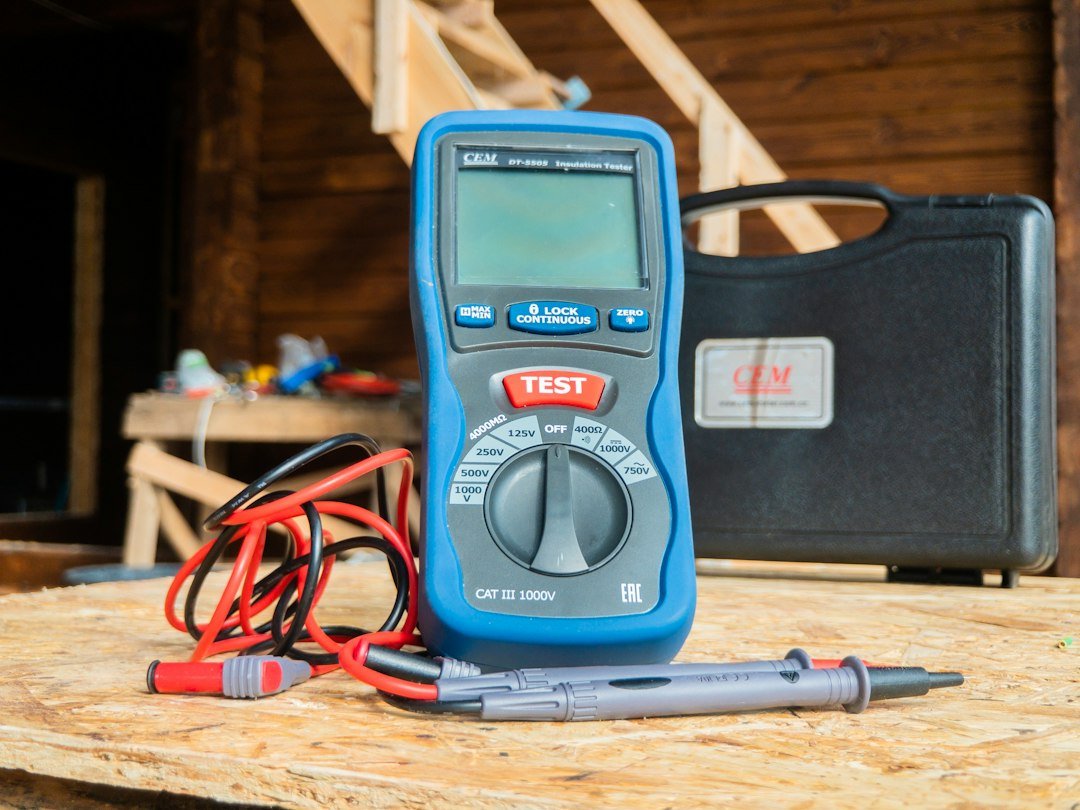
You need a basic multimeter. If the settings are unfamiliar, Fluke has a good primer on how to use a multimeter. This is a basic check, not a full bench test, and it only tells you whether the controller is receiving and passing power.
Safety First
Turn the key off, set the run/tow switch to TOW, and take off rings and watches. Never lay a metal tool across battery posts. If you have not worked around battery banks before, read OSHA’s overview of basic electrical safety first. For any test with the pedal pressed, lift the drive wheels off the ground on jack stands.
The Basic Voltage Check
- Charge the pack fully and note the total pack voltage at the main battery terminals.
- Inspect and tighten every connection, then press any reset button near the main battery supply if your cart has one.
- With the wheels safely off the ground and the cart in the run position, press the pedal until you hear the solenoid click.
- Measure the voltage at the controller’s battery input terminals. It should read close to full pack voltage.
- Press the pedal slowly toward the floor while watching the output side. The voltage reaching the motor should rise as you press, not jump or drop out.
If the input reads low or zero after the click, the fault is upstream, in the solenoid, fuse, or cables. If the input is healthy but the output never changes with the pedal, suspect the pedal signal or the controller.
Some controllers also flash a fault code on an indicator light, and many aftermarket units connect to a handheld programmer that reads faults directly. Check your model’s manual to decode the flashes. A code is far more reliable than guessing.
Repair vs Replace: What It Costs
Prices vary by brand and amp rating. Industry sources put a controller repair or replacement at roughly $300 to $800 all in, and the part alone at around $200 to $600, with labor on top.
A stock-style Curtis replacement sits at the lower end. Higher-amp aftermarket units from makers like Alltrax cost more as the rating climbs. Always get a current quote, because these numbers move.
Repair can make sense on a newer cart with a known single fault, but many shops simply replace the unit. If your batteries are also old, fix those first. The comparison of lithium vs lead-acid golf cart batteries helps you decide what to buy.
Stock or Upgrade?
When you replace a bad controller, the temptation is to buy a bigger one for more torque. A stock-rated unit, roughly in the 250 to 400 amp range, matches your existing motor, cables, and batteries and is the lowest-risk choice.
A mild upgrade in the 400 to 500 amp range gives noticeably stronger low-end pull. Going beyond that needs heavier cables, a matching solenoid, and a rated forward and reverse switch. A high-amp controller on stock wiring is a fire risk, so treat any upgrade as a system project.
If your real complaint is a cart that struggles on slopes, read our guide to the best golf cart for hills before spending on amps.
Frequently Asked Questions
What are the first signs of a bad golf cart controller?
The earliest signs are usually jerky acceleration, a sudden loss of speed, or occasional cutting out under load. These come and go at first, then get more frequent.
Can bad batteries cause controller symptoms?
Yes, and this is the most common mix-up. Low or sagging voltage can trigger limp mode and jerky behavior that looks exactly like a failing controller. Always test the batteries first.
How long does a golf cart controller last?
There is no fixed lifespan. Many last for years, but heat, water intrusion, loose connections, and heavy hill use shorten their life. A clean, dry, tight installation helps a lot.
Can I fix a golf cart controller myself?
You can check connections, reset it, and run the voltage check above. Internal repairs need specialized tools, so most owners replace the unit or send it to a repair shop.
Is it safe to drive with a bad controller?
Not if it surges, stalls on a hill, or smells hot. A sudden lurch or loss of power with passengers aboard is a real hazard. Park it until you know what is wrong.
Bottom Line
The most reliable bad golf cart controller symptoms are surging at partial throttle, cutting out under load, a burning smell, and limp mode that survives a fully charged, well-connected pack. Anything vaguer deserves a battery, cable, solenoid, and sensor check first.
Do the cheap tests in order, write down exactly when the problem happens, and read any fault code before you buy a part. That discipline saves most owners several hundred dollars.